
Hey Winlator Legend! 👋
So you just fired up your favorite game and—POW!—“Failed to initialize graphics” pops up. Aaargh, right? 😱 But wait, don’t panic! You’re not alone, and yes, it CAN be fixed (most of the time). I get this message too sometimes, and here’s how to beat it—step by step, plain and simple! 🛠️✨
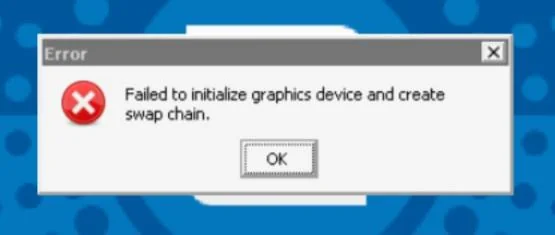
Complete error message:
Failed to initialize graphics device and create swap chain.
First, WHY does this error happen? 🤔
Mostly, Winlator can’t talk nice with your graphics driver, or is missing a few pieces. This is super common on Mali and Adreno devices (Indonesia, Brazil, India squad, I see you! 😅). DirectX, OpenGL, or the wrong preset—sometimes the game just feels moody. But let’s fix it up!
Quick Fixes You MUST Try 🚀
- Change Your Graphics Driver:
- For Mali GPUs 👉 Switch to “VirGL” instead of “Turnip.” VirGL works with DirectX 1-9, Turnip can do up to DX12 on Adreno.
- Try Vortek if your device supports it (experimental, but cool for DX11).
- Change the Offscreen Rendering Mode:
- Select the Right Box64/Box86 Preset:
- Install Wine Gecko & Wine Mono:
- Check Your Winlator Version & Update:
Device-Specific Tips 📱
- Adreno user? Try “Turnip” graphics driver for best results.
- Mali user? Use “VirGL.” DirectX 10+ games often WON’T run—try older games or wait for more updates.
- RAM matters! Free up memory by closing other apps before running heavy games.
Still Stuck? 😭
Drop a comment below with your device info, GPU type, Winlator version, game name, even screenshots! Me—or one of the crazy smart legends in our community—will jump in and help you out. Promise! 🤞
And remember: Even if your game doesn’t work today, it might work after the next update. Stay strong, keep trying, and GAME ON! 💪🎮
You got this! See you in the comments! 👾🔥