Download Winlator for Android

Download Winlator APK For Android (Official Builds & Variants)

Get the latest trusted versions of Winlator, including variants for Adreno, Mali, and more. Links below point to official and verified sources.

Download

Download Winlator APK for Android

Download the latest version of Winlator APK for you Android device. Use the below links to download the latest Frost, Mali, GlibC, and normal versions.

Winlator

Download normal Winlator for Android.

Winlator Mali

Download Winlator Mali for Android devices with Mali GPU.

Winlator Frost

Download Winlator Frost for Android devices.

Winlator GlibC

Download Winlator GlibC for Android devices with Mali GPU.

Which Winlator Version Should I Choose?

  • Main/Standard Build: Works on most modern Android devices (best for Snapdragon/Adreno phones)
  • Mali Build: Optimized for devices with ARM Mali GPUs.
  • Frost Build: Experimental; features support for advanced games, may not be stable on all devices.
  • GlibC Build: For advanced users with unique requirements.

How to Install Winlator on Android

  1. Choose the APK version above that matches your device.

  2. Download the file directly to your device (official links only).

  3. Enable “Install apps from Unknown Sources” in your security settings if needed.

  4. Tap the APK file to install. Open Winlator and start creating a Windows container.

  5. For detailed setup (e.g., OBB files, configuration, game import), check our Complete Step-by-Step Installation Guide.

Safety and Trust

  • All download links are to official or verified builds—we do not host or modify APKs.

  • No pirated software is provided or supported.

  • For extra safety, always verify signatures and only download from trusted sources like GitHub Releases.

Latest Blogs & Guides!!

Frequently Asked Questions (FAQs)

What is Winlator?

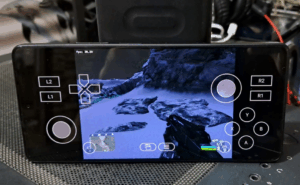
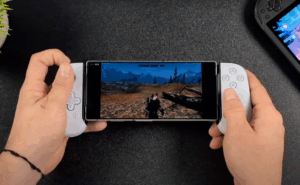
Winlator is an open-source Windows emulator for Android devices, allowing users to run many real Windows applications and games directly on their phone or tablet—all without needing a PC.

Yes! Winlator is 100% free and open-source. There are no hidden fees, subscriptions, or premium plans.

Winlator.dev is an independent community resource created by emulator fans. For the original project, visit the Winlator GitHub or winlator.org.

Winlator supports most modern Android smartphones and tablets with ARM64 CPUs (Android 7.0+ recommended). Performance may vary depending on your hardware—higher RAM and faster processors yield better results.

  • Standard Build: For Snapdragon/Adreno devices.

  • Mali Build: For ARM devices with Mali GPU.

  • Frost & GlibC Builds: For advanced scenarios or troubleshooting; see our guides for detailed info.

Compatibility depends on your device and the nature of the application. Older classics and many games work well; some newer or complex apps may not run perfectly.

  1. Download the correct APK file for your device (see Download page).

  2. Enable “Install apps from unknown sources” in device settings.

  3. Open the APK to install Winlator.

  4. Launch the app and follow our step-by-step installation guide.

Some versions require extra data files for setup—our guides explain how to download and place these files correctly.

Yes. Winlator is widely used in the emulator community and built from open-source components. Always download APKs from official or verified sources linked on our site—never modded or third-party files.

Emulation itself is legal, but downloading or sharing pirated Windows software or games is not permitted. We do not host or link to pirated content.

If you only use the official Winlator APKs linked here, there is no malware risk. Avoid third-party APK sites not recommended by Winlator.dev.